> ## Documentation Index
> Fetch the complete documentation index at: https://help.moyacascade.com/llms.txt
> Use this file to discover all available pages before exploring further.
# Reconcile stock and change units
> Explain stock movements, attach evidence, and keep the inventory balance consistent.
Use **Reconcile** to record and check quantities for the accounting year. **Opening** is stock at the beginning of that year; **Closing** is stock at its end. These are period-end counts, not a live stock balance.
## Understand the balance
**Opening + Production + Purchases = Closing + Consumption + Sales**
| Quantity | Meaning |
| - | - |
| **Opening** | Stock held at the beginning of the accounting year |
| **Purchases** | Quantity from linked product purchases, in the inventory unit |
| **Produced** | Product quantities produced during the year |
| **Sales** | Quantity from linked product sales |
| **Consumed** | Product quantities used or consumed during the year |
| **Closing** | Stock held at the end of the year |
| **Variance** | The difference between the two sides of the balance |
The Purchases and Sales totals come from the entries recorded for this product during the year. Adding or correcting those entries changes their annual totals without changing recorded opening or closing stock. Record production and consumption with evidence. Fuel uses this same balance; there is no separate fuel stock equation.
## Reconcile a product
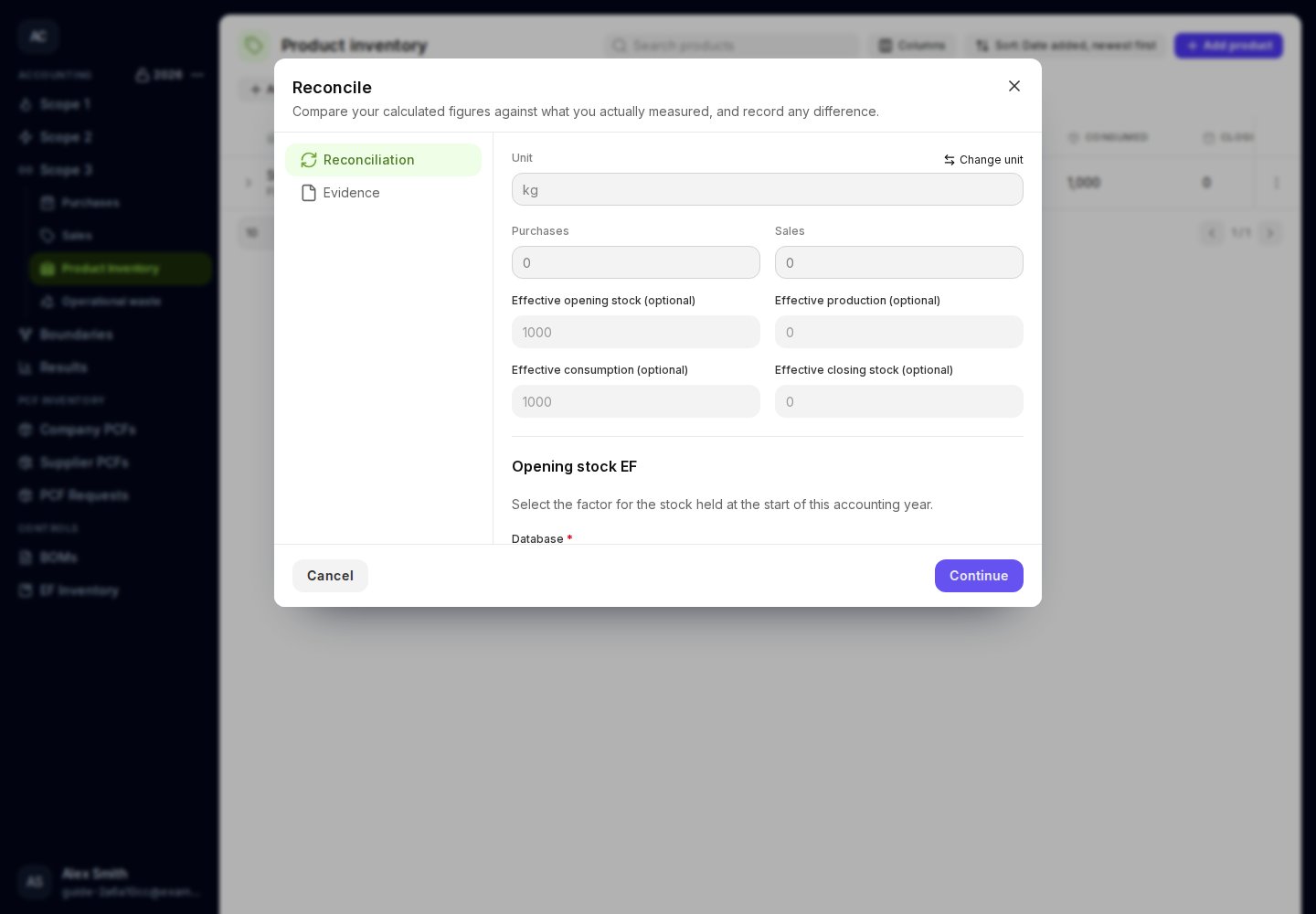
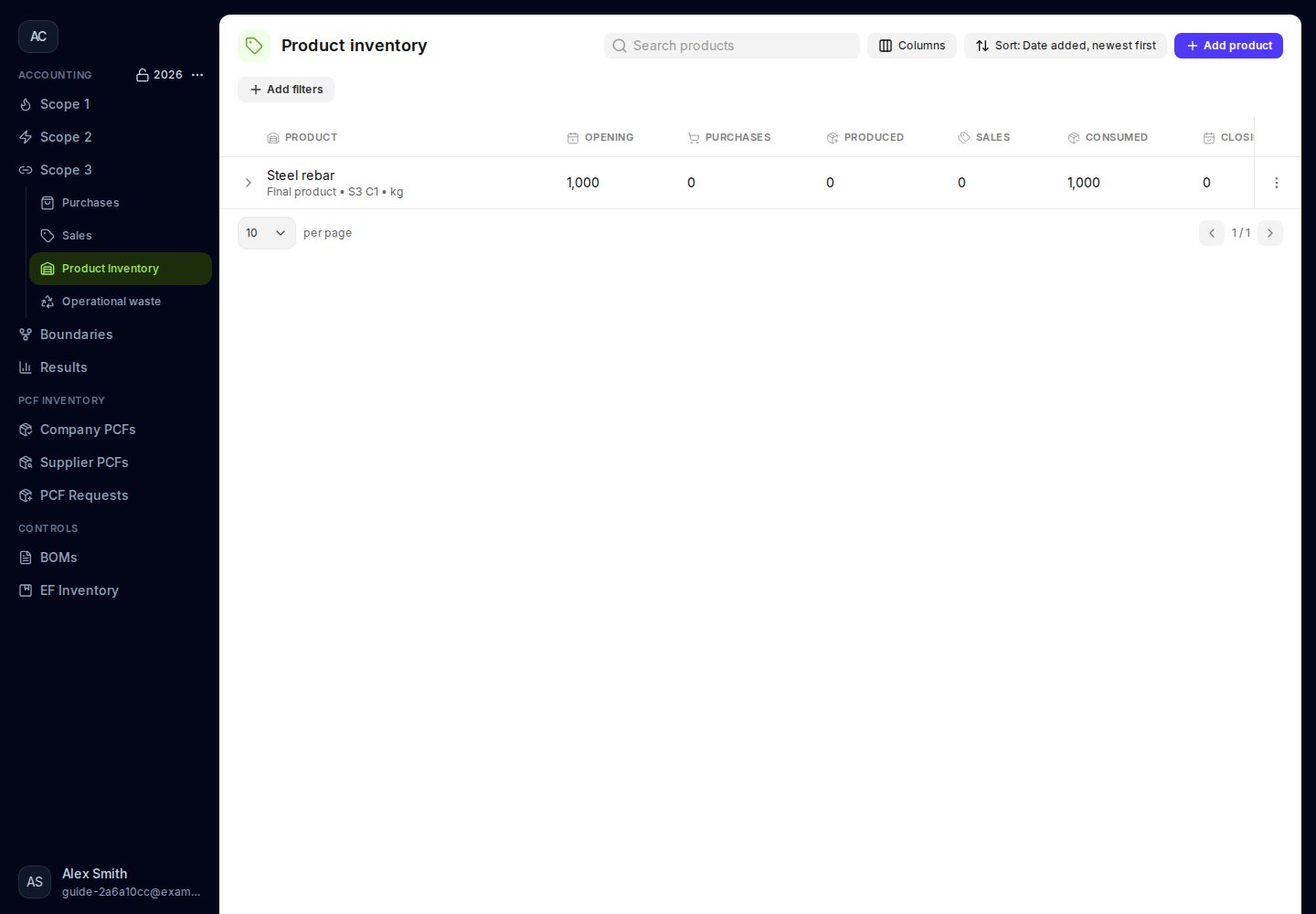
1. Open **Product inventory** and choose **⋮ → Reconcile** on the product.
2. Check the unit, purchases, and sales shown on the form.
3. Enter any corrections in **Effective opening stock**, **Effective production**, **Effective consumption**, and **Effective closing stock**. Leave opening or closing blank to keep the recorded quantity. Leave production or consumption blank to use Moya's calculated quantity. Enter **0** when the correct quantity is zero.
4. If effective opening stock is greater than zero, select its distinct **Opening stock EF** and complete its conversion. An opening quantity of zero needs no factor.
5. Check **Balanced — no variance** or the displayed variance. Moya calculates missing production or consumption from the entered movements and closing count; review those quantities against your records.
6. Click **Continue**. Enter **Explanation**, describing what changed and why. Upload or select a supporting document, then click **Reconcile**.
 An explanation and evidence are required. Explain changes to opening stock, including a change to zero. If the annual balance does not match, review the difference and explain it with supporting evidence.
## Change a product's unit
Click **Change unit**, enter the new unit, both conversion amounts, and a reason. For example, **1 kg = 1,000 g**. Moya converts the product's annual quantities, purchase and sale quantities, prices per unit, and emission-factor conversions to the new unit.
Changing a unit does not change the emissions associated with the quantity you recorded. Review the unit-change history to check a previous change.
## Check the next year
Closing stock carries forward when the next accounting year is created. Complete the current year's stock count and reconciliation before relying on the carried quantity. If you correct a previous year's closing quantity after creating the next year, review and correct the next year's opening quantity as well.
An explanation and evidence are required. Explain changes to opening stock, including a change to zero. If the annual balance does not match, review the difference and explain it with supporting evidence.
## Change a product's unit
Click **Change unit**, enter the new unit, both conversion amounts, and a reason. For example, **1 kg = 1,000 g**. Moya converts the product's annual quantities, purchase and sale quantities, prices per unit, and emission-factor conversions to the new unit.
Changing a unit does not change the emissions associated with the quantity you recorded. Review the unit-change history to check a previous change.
## Check the next year
Closing stock carries forward when the next accounting year is created. Complete the current year's stock count and reconciliation before relying on the carried quantity. If you correct a previous year's closing quantity after creating the next year, review and correct the next year's opening quantity as well.
 This documentation is built and hosted on [Mintlify](https://mintlify.com), a developer documentation platform.