> ## Documentation Index
> Fetch the complete documentation index at: https://help.moyacascade.com/llms.txt
> Use this file to discover all available pages before exploring further.
# Record upstream leased assets
> Record an asset you lease, its area, costs, and documented emission factors.
Choose **#8 Upstream leased assets** when recording an asset your organization leases from another party. This is a service purchase and is not included in Product inventory.
Open **Purchases → Add purchase**, choose **Upstream leased assets**, and enter **Service name**, such as “Office lease”. Click **Continue**.
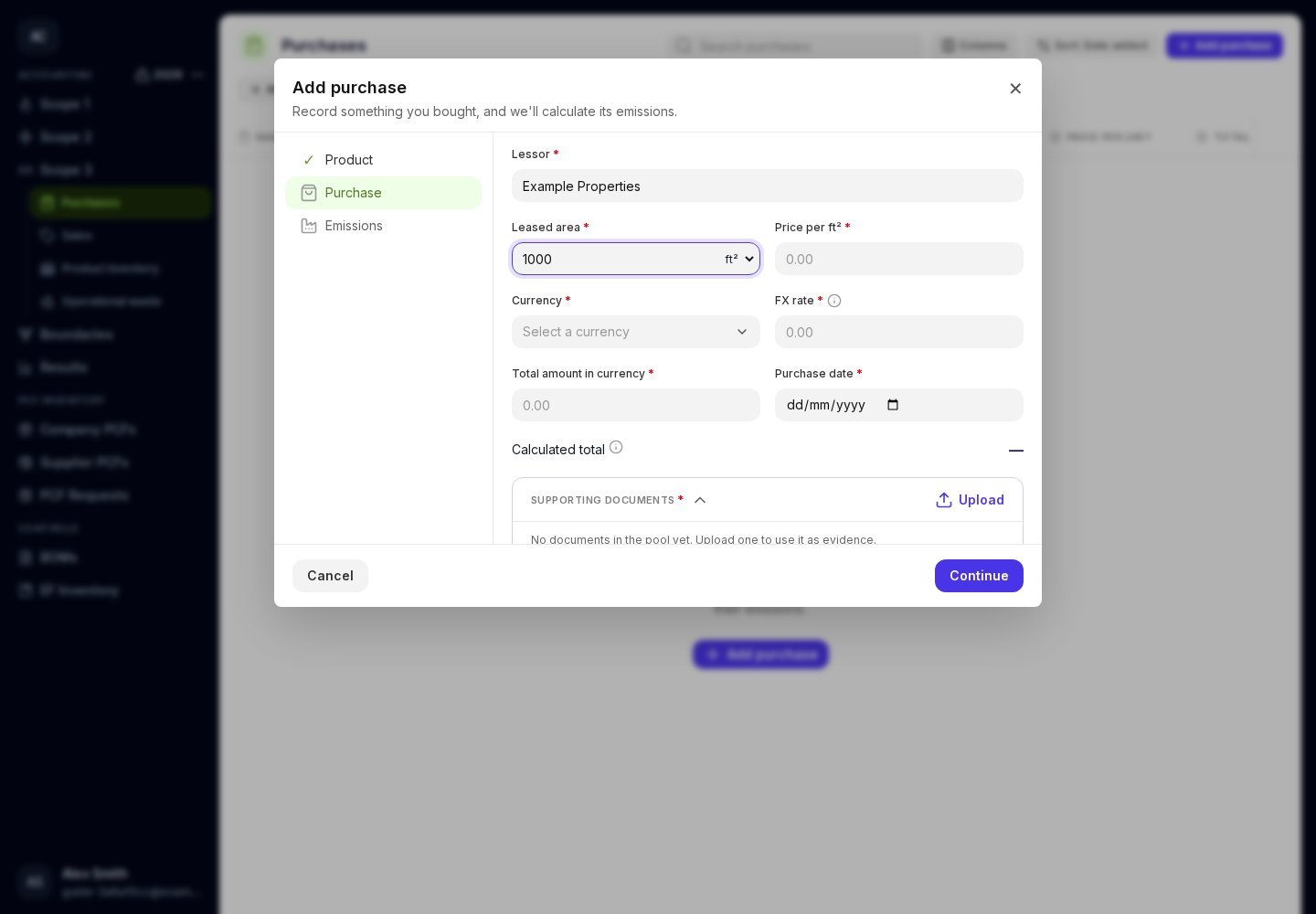
Enter **Lessor**, **Leased area**, and its unit (**ft²** or **m²**). Enter the price per that area unit. Complete **Currency**, **Purchase date**, invoice total, FX rate, and supporting documents.
Continue to **Emissions**. Enter **Scope 1 EF** and **Scope 1 EF source**, then **Scope 2 EF** and **Scope 2 EF source**. Each factor must be expressed as kg CO₂e per the selected area unit.
Save the purchase. Expand its row to check the lessor, area, units, factors, and sources.
 Use the lessor's or another documented source's figures. Identify the report and page in each source field. If a factor is supplied per m² and your quantity is in ft², convert the factor to the form's unit before entering it.
These factor fields describe the leased asset's emissions within this Scope 3 purchase. Record this leased-asset activity here in Purchases; do not add it again to your organization's Scope 1 or Scope 2 tables.
If you lease an asset **to someone else**, use [Sales → Downstream leased asset](/user-guides/sales/record-a-sale).
This documentation is built and hosted on [Mintlify](https://mintlify.com), a developer documentation platform.
Use the lessor's or another documented source's figures. Identify the report and page in each source field. If a factor is supplied per m² and your quantity is in ft², convert the factor to the form's unit before entering it.
These factor fields describe the leased asset's emissions within this Scope 3 purchase. Record this leased-asset activity here in Purchases; do not add it again to your organization's Scope 1 or Scope 2 tables.
If you lease an asset **to someone else**, use [Sales → Downstream leased asset](/user-guides/sales/record-a-sale).
This documentation is built and hosted on [Mintlify](https://mintlify.com), a developer documentation platform.