> ## Documentation Index
> Fetch the complete documentation index at: https://help.moyacascade.com/llms.txt
> Use this file to discover all available pages before exploring further.
# Record organization boundaries
> Record entity emissions, equity share, operational control, financial control, and joint ventures.
Open **Boundaries** from the sidebar or its section in **Scope 3**. Add the entities included in your reporting for the current accounting year.
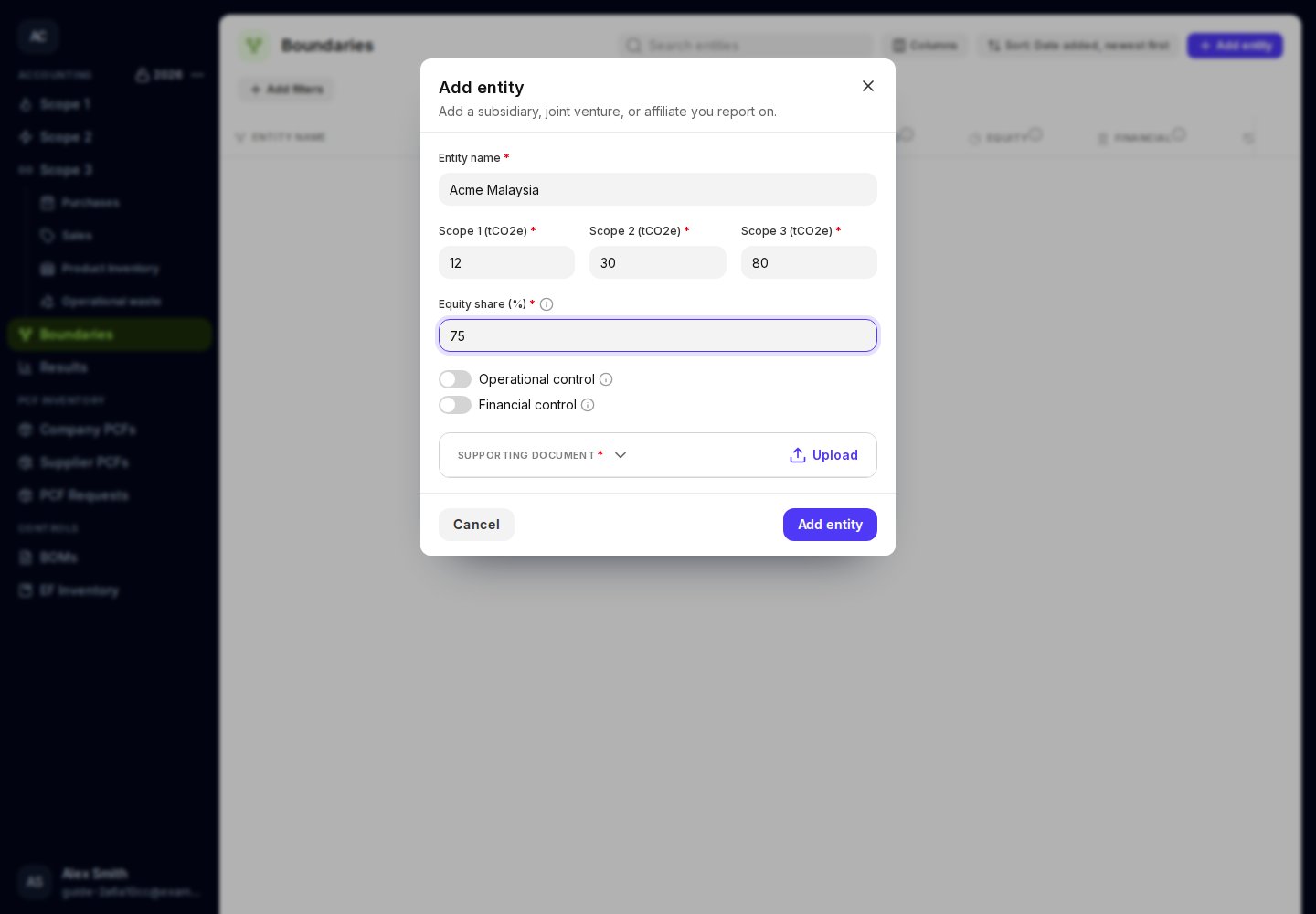
Click **Add entity** and enter **Entity name**.
Complete **Scope 1 (tCO2e)**, **Scope 2 (tCO2e)**, and **Scope 3 (tCO2e)**. These fields use **tonnes**, not kilograms. Enter zero explicitly where the supported value is zero; a blank required field is not zero.
Enter **Equity share (%)** between 0 and 100. Set **Operational control** and **Financial control** to reflect your organization's relationship with the entity.
With financial control enabled, the **Joint venture** switch is available. If you enable it, complete **Joint venture ownership share (%)**. If you turn off financial control, review the joint-venture settings before saving.
Upload or select the records supporting the emissions and control details. Click **Add entity**, then expand the saved row to review it.
 ## Use the control fields consistently
**Equity share** records your ownership percentage. **Operational control** records authority to introduce and run operating policies. **Financial control** records authority over financial and operating policies. **Joint venture** records shared financial control.
Use the information tooltips beside these fields for the explanations shown in the app. Keep the selections consistent with your reporting approach and source documents.
Enter each entity once, with all three scope totals on the same entry.
Filter the table by control settings or equity share when reviewing the included entities. Use **Docs** for supporting files and **⋮** for edit, duplicate, and delete actions.
This documentation is built and hosted on [Mintlify](https://mintlify.com), a developer documentation platform.
## Use the control fields consistently
**Equity share** records your ownership percentage. **Operational control** records authority to introduce and run operating policies. **Financial control** records authority over financial and operating policies. **Joint venture** records shared financial control.
Use the information tooltips beside these fields for the explanations shown in the app. Keep the selections consistent with your reporting approach and source documents.
Enter each entity once, with all three scope totals on the same entry.
Filter the table by control settings or equity share when reviewing the included entities. Use **Docs** for supporting files and **⋮** for edit, duplicate, and delete actions.
This documentation is built and hosted on [Mintlify](https://mintlify.com), a developer documentation platform.