> ## Documentation Index
> Fetch the complete documentation index at: https://help.moyacascade.com/llms.txt
> Use this file to discover all available pages before exploring further.
# Record purchased heating and cooling
> Enter purchased heating or cooling quantities with a factor and source.
Use **Scope 2 → Heating** or **Cooling** for purchased heating or cooling. If you burn fuel in your own equipment, record the combustion activity in **Scope 1** instead.
Open **Scope 2 → Add activity**. Select **Heating** or **Cooling** and enter **Activity name**, such as “Office district heating”. Click **Continue**.
Enter a positive **Quantity**, select **Quantity unit**, and optionally enter **Location**. Check the supplier's statement for the reporting quantity and unit.
Enter **EF (kg CO₂e/unit)** and **EF source**. Use a source that describes the purchased energy. The factor must be expressed per the unit selected on the form.
Click **Add activity**. Review the saved factor, source, and emissions. Use the row's **⋮ → Edit** if you need to correct the entry.
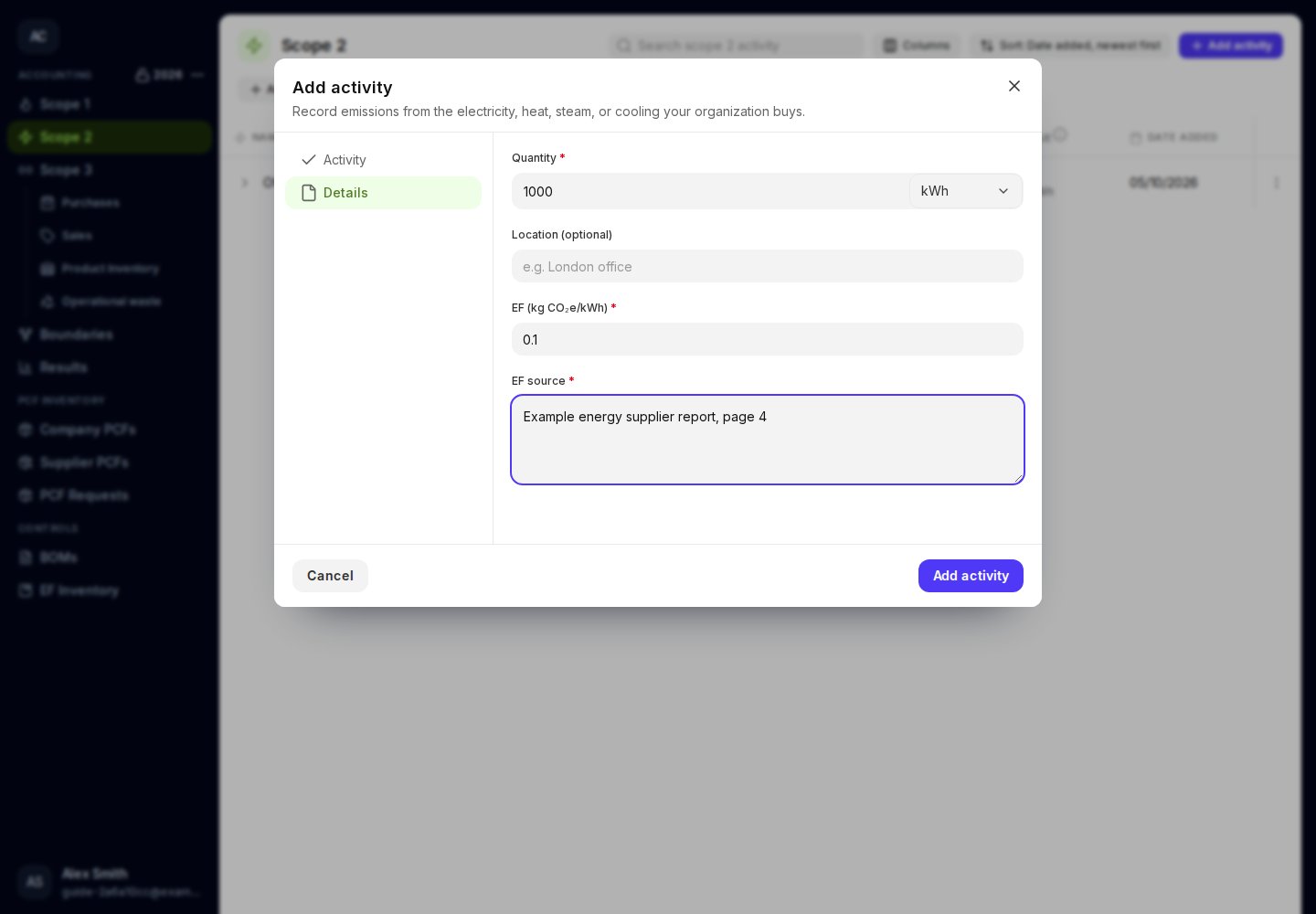
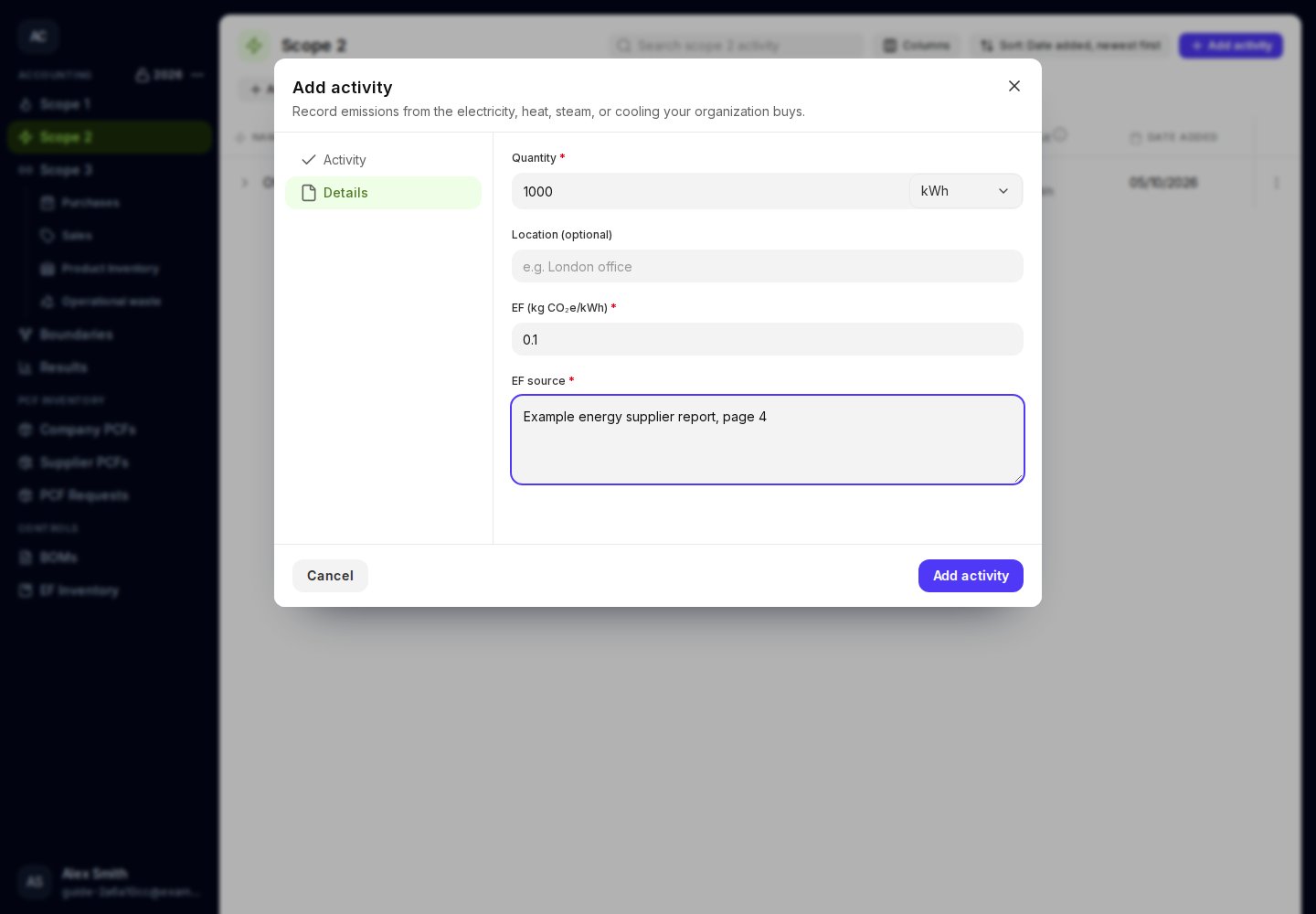 For example, **1,000 kWh × 0.1 kg CO₂e/kWh = 100 kg CO₂e**. These numbers illustrate the calculation and are not recommended default factors.
Purchased heating and cooling are not included in Product inventory. Their upstream Scope 3 component is recorded separately in [Purchases](/user-guides/purchases/fuel-and-energy).
This documentation is built and hosted on [Mintlify](https://mintlify.com), a developer documentation platform.
For example, **1,000 kWh × 0.1 kg CO₂e/kWh = 100 kg CO₂e**. These numbers illustrate the calculation and are not recommended default factors.
Purchased heating and cooling are not included in Product inventory. Their upstream Scope 3 component is recorded separately in [Purchases](/user-guides/purchases/fuel-and-energy).
This documentation is built and hosted on [Mintlify](https://mintlify.com), a developer documentation platform.