
Before you start
Check the accounting year in the sidebar. Have your fuel-use log, meter record, or vehicle mileage record ready. For a mileage-based factor, use distance travelled; for a fuel-based factor, use fuel consumed. These are different ways of measuring an activity, so avoid adding both for the same fuel use.1
Choose the combustion type
Open Scope 1 and click Add activity. Choose Stationary combustion for equipment in a fixed location, or Mobile combustion for vehicles.
2
Select the source
Open Fuel type for stationary combustion, or Fuel or vehicle for mobile combustion. Search the list and use its filters to narrow the choices. Select the fuel or vehicle specification that matches your record.Mobile combustion includes fuel choices and vehicle choices. Check the fuel type, vehicle description, and factor unit before selecting. If a fuel choice includes Gross CV or Net CV, keep that fuel description and choose a quantity unit such as litres, kg, or kWh.
3
Enter consumption
Click Continue. Enter Quantity greater than zero and select Quantity unit. The available units match the selected source. Compatible units are converted automatically.For example, enter 500 litres for a fuel-use record in litres. For a kilometre-based vehicle choice, enter the distance travelled instead.
4
Attach evidence and save
In Supporting documents, upload your evidence or tick a document from the pool. Click Add activity. Open the saved row to review its quantity, factor, source, and emissions.
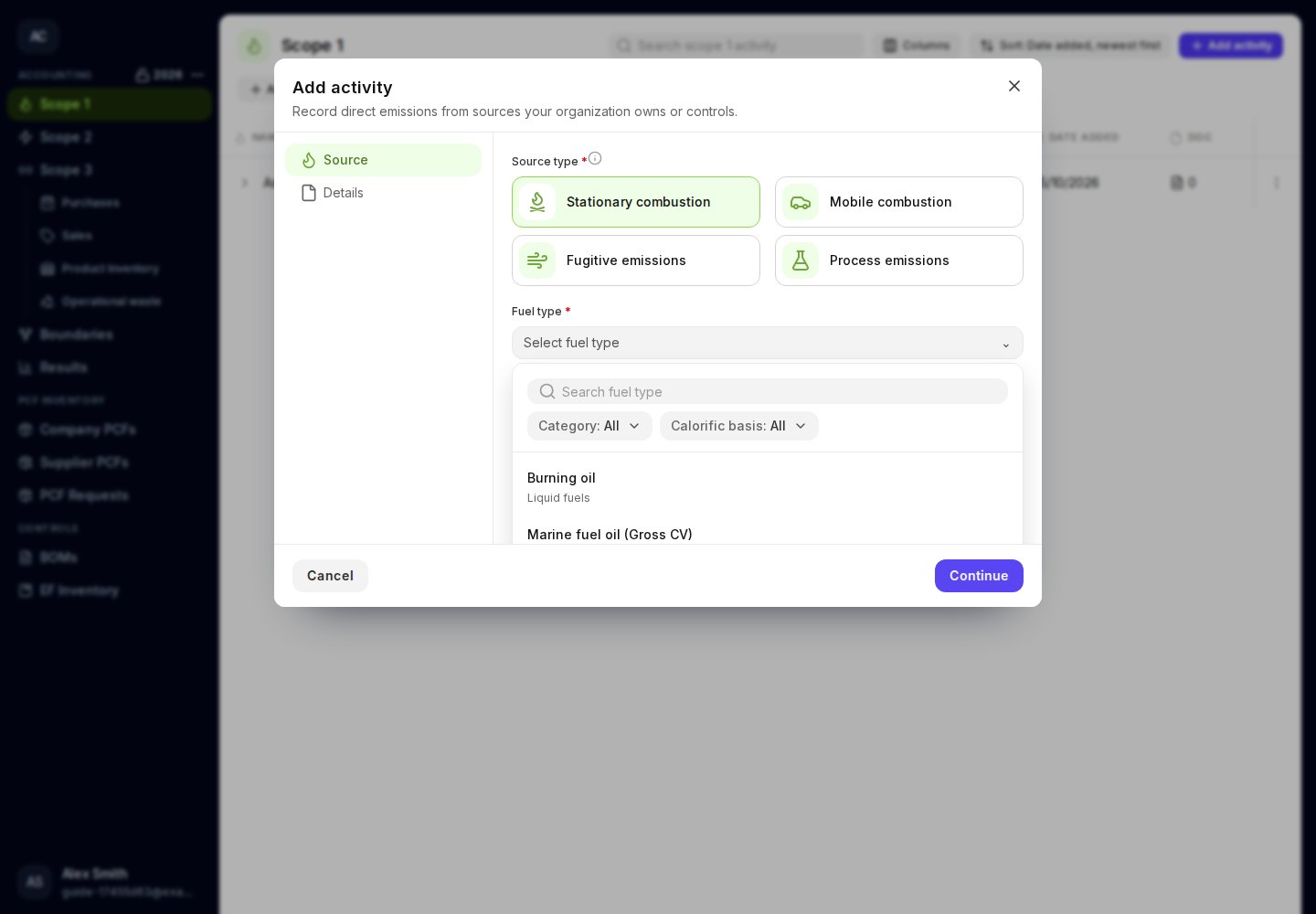
Select the fuel used in fixed equipment.
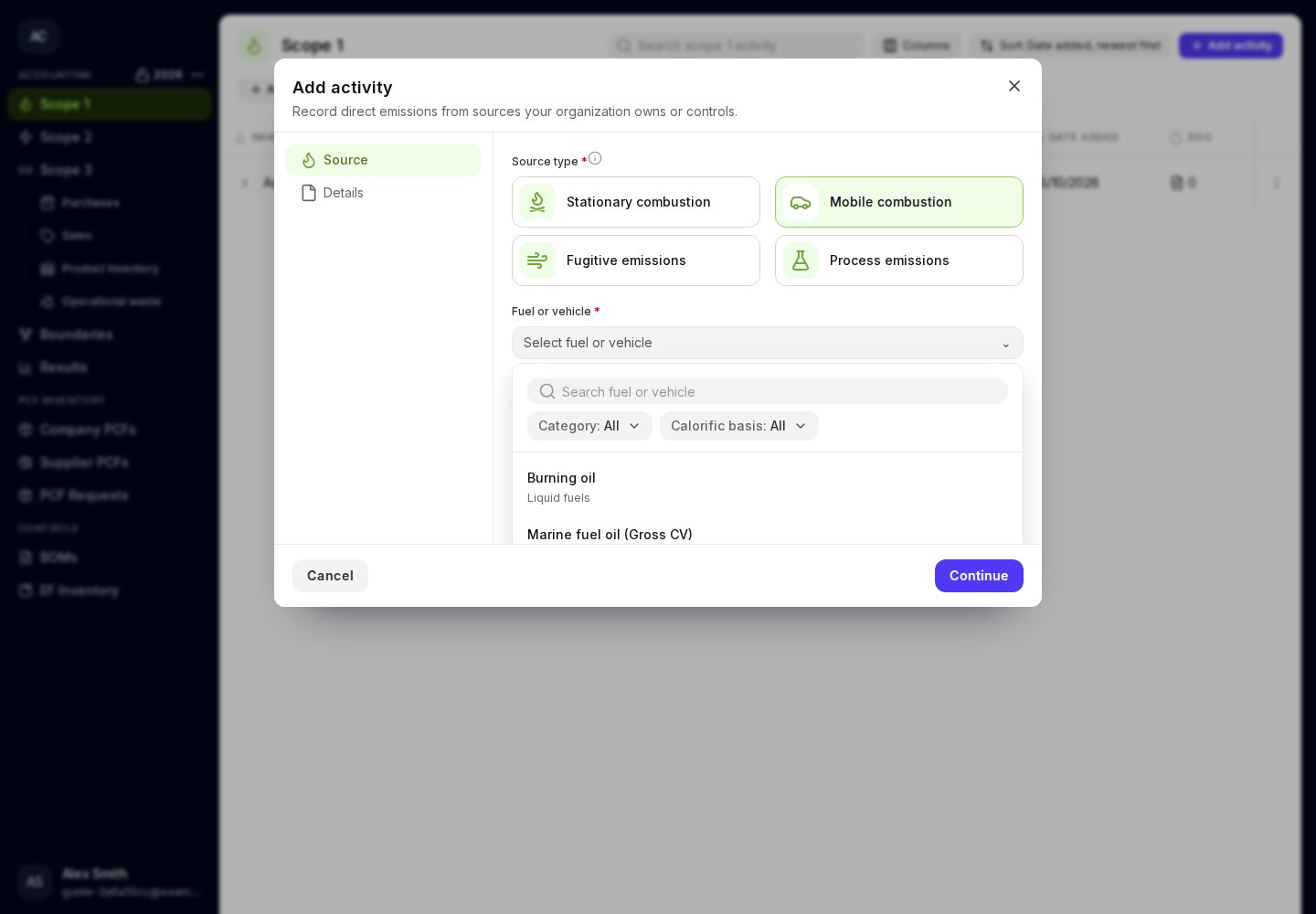
Choose a fuel or vehicle that matches how you measured the activity.
Correct a saved activity
Use the row’s ⋮ menu and choose Edit. Review both the source and quantity when changing a source. Choose Delete only when you want to remove the activity, then confirm the deletion. If no choices match, clear the filters and try a shorter search. If a quantity or source is missing, the field is highlighted and its error appears below it. Complete that field before continuing. Read the guide to gas releases or process emissions.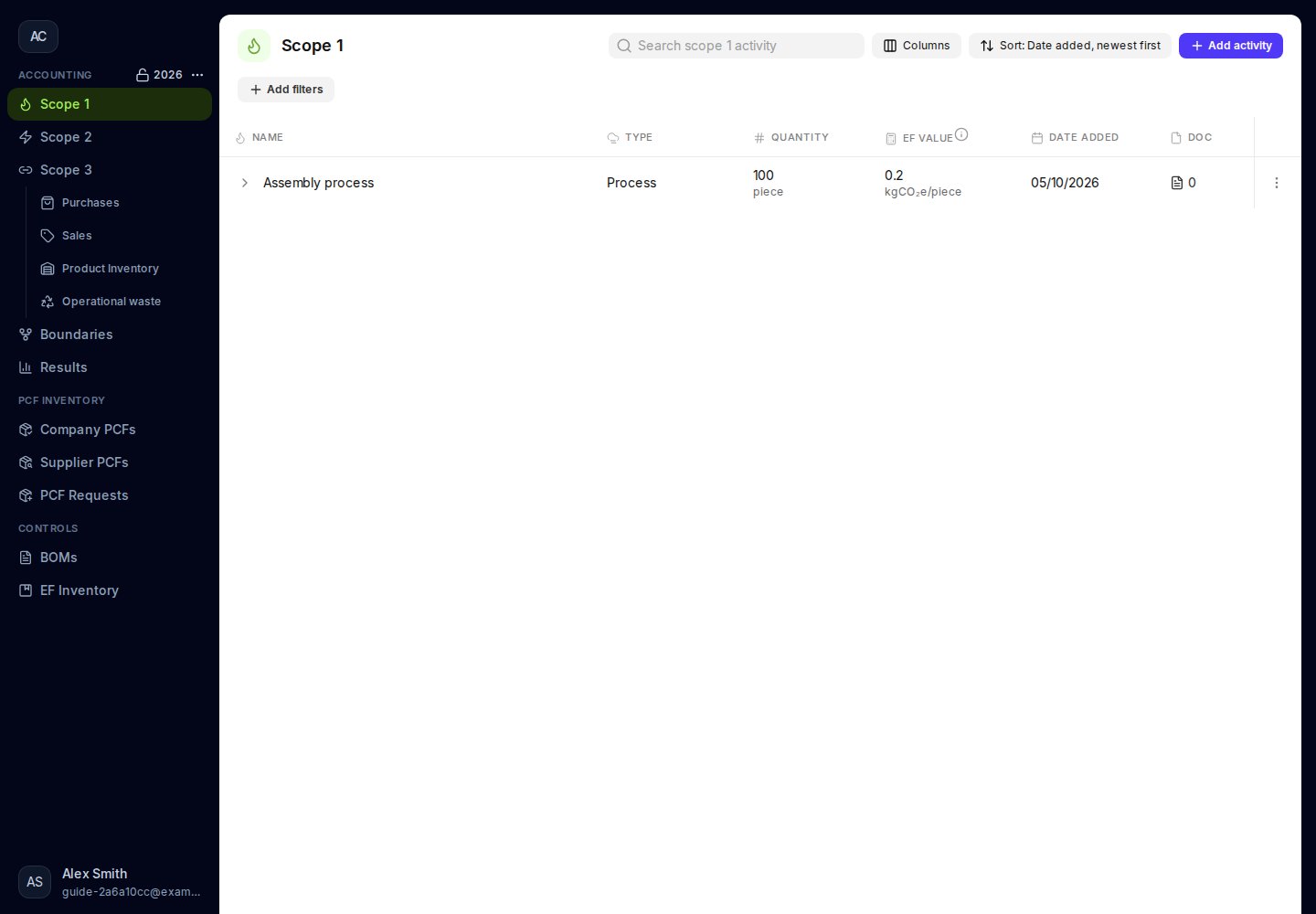
Review recorded Scope 1 activities in the accounting year.