
1
Name the process
Open Scope 1 → Add activity, select Process emissions, and enter Process name. Use a name that identifies the activity, such as “Assembly process”. Click Continue.
2
Enter the activity quantity
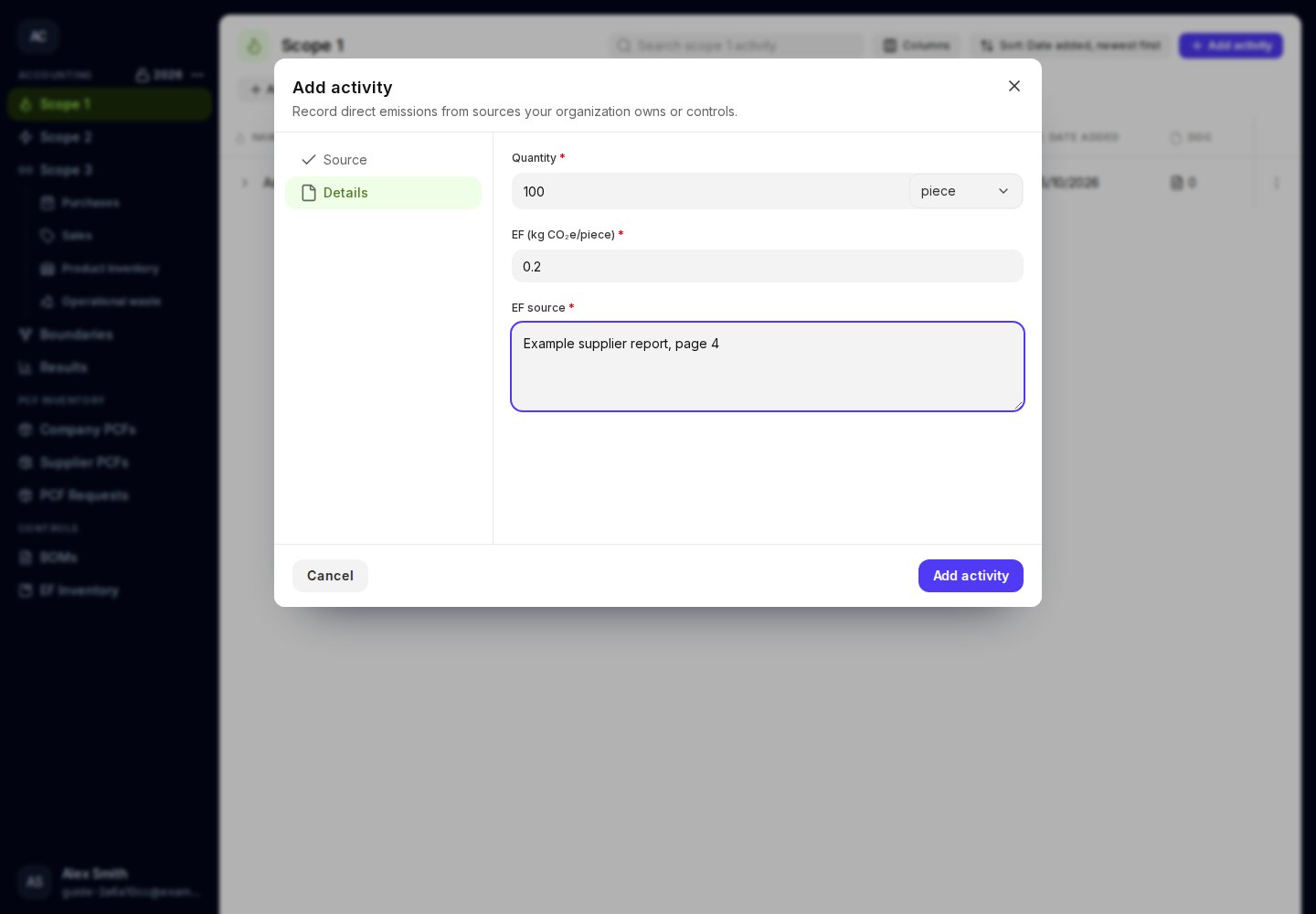
Enter a positive Quantity and choose Quantity unit. Use the unit supported by your process factor.
3
Enter the factor and its source
Enter EF (kg CO₂e/unit) in the unit shown on the form. Enter EF source, including enough detail to find the source again, such as the report title and page.
4
Save and review
Click Add activity. Check the quantity, factor, and calculated emissions in the table and expanded row.
The factor must use the same quantity unit as the activity.