
1
Choose the activity
Open Scope 2 → Add activity. Select Heating or Cooling and enter Activity name, such as “Office district heating”. Click Continue.
2
Enter the quantity and location
Enter a positive Quantity, select Quantity unit, and optionally enter Location. Check the supplier’s statement for the reporting quantity and unit.
3
Enter the factor
Enter EF (kg CO₂e/unit) and EF source. Use a source that describes the purchased energy. The factor must be expressed per the unit selected on the form.
4
Save and review
Click Add activity. Review the saved factor, source, and emissions. Use the row’s ⋮ → Edit if you need to correct the entry.
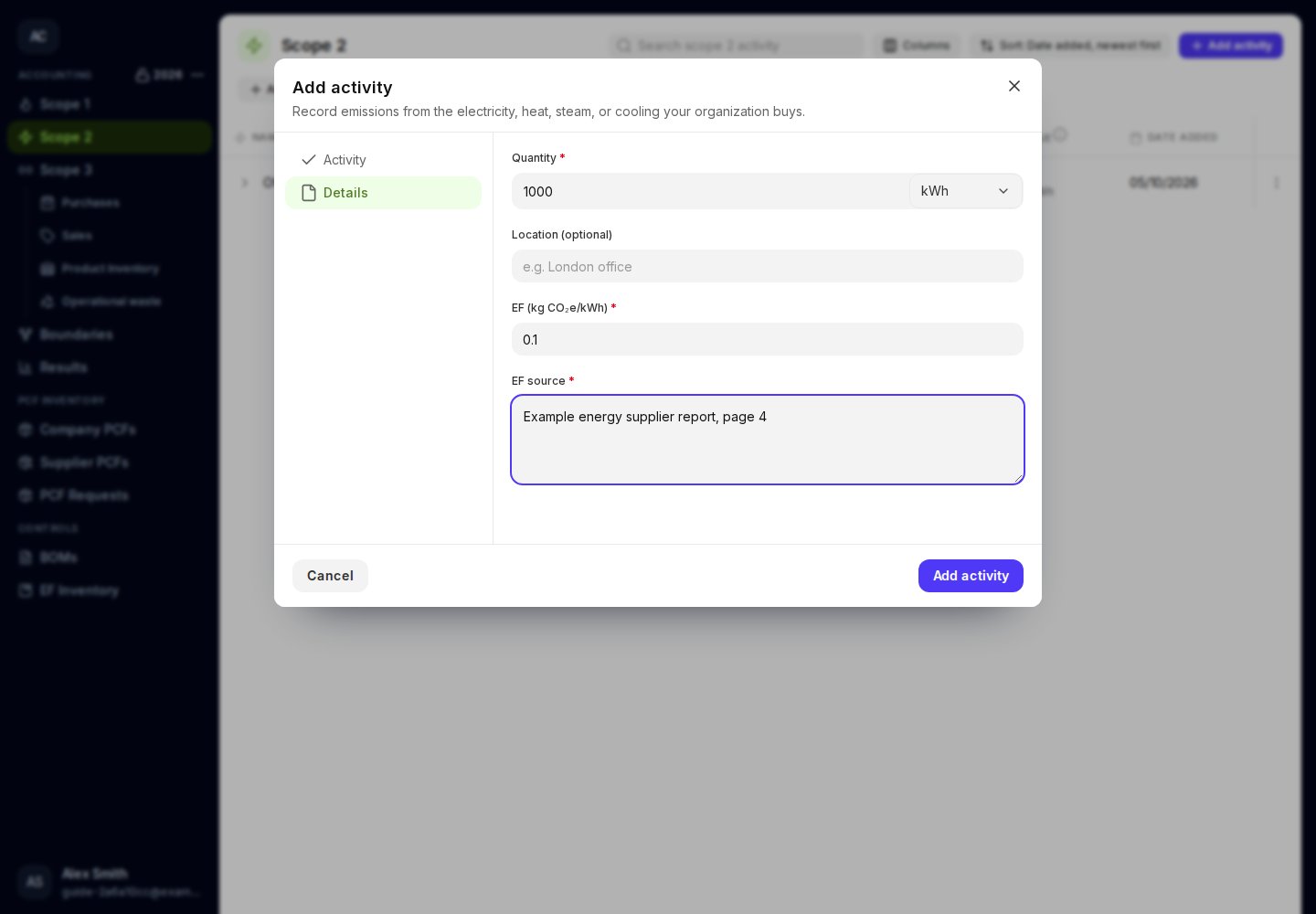
Enter the heating factor in the same unit as the quantity.
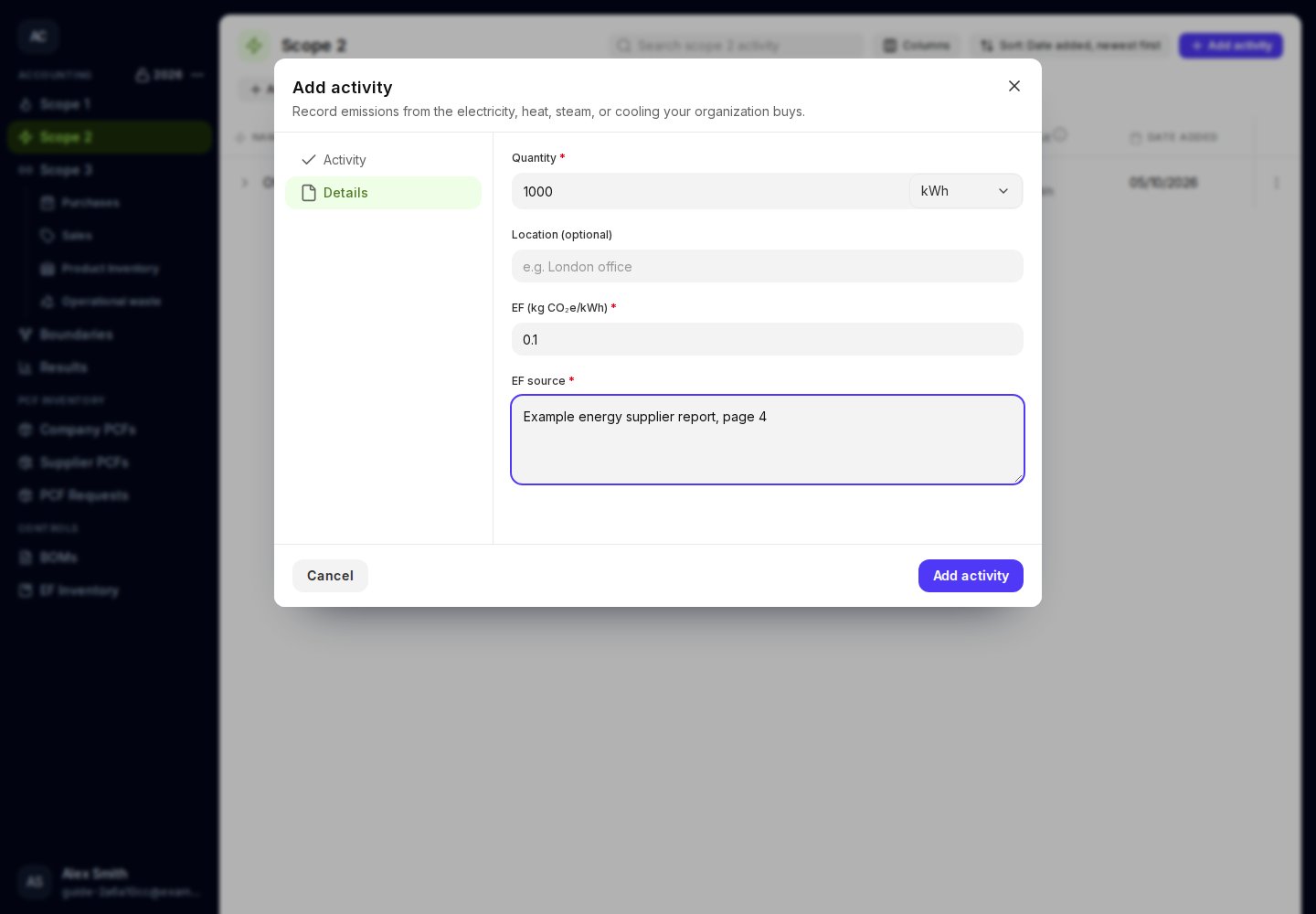
Heating and cooling have separate activity choices.